



How do you choose a Lofoten rorbu for remote work in winter?
Share
Save
Facts checked on 17 November 2026.
In brief
Choose your winter base in Lofoten by the workspace, the nearest shop and the access, not just the sea view. Ask for a Wi-Fi test and plan a backup connection before you book. Allow slack for winter transport. Winter conditions usually run from November to March, but vary from year to year.
Where should you base yourself for winter remote work in Lofoten?
Compare specific addresses, not just attractive place names. Svolvær and Leknes are the places to start if you need more shops and more onward connections. Assess a rorbu in a small fishing village together with the route to a shop and your work backup. These are selection criteria, not a ranking of internet quality between towns.
A rorbu, a traditional fisherman's cabin, can be a good base by the sea. But the word tells you nothing about a desk, heating or whether you can take calls in private. Avoid tying a long chain of daily trips to meetings you have to attend.
General scheduling, remote-trip organisation and checking your right to work are covered in the aurora workation guide. Here, first decide whether a winter base on the islands suits you.
If you need private video calls in the morning, choose a place with a room of your own and agreed access. A shared lounge with a view meets a different need.
What should you ask about a rorbu before paying?
Ask to see the exact house or room type you are booking: desk, chair, sockets, lighting and a door you can close. Check whether heating is included, who clears snow from the approach and how you collect a key after a late arrival. These are questions for the host, not standards automatically provided by every rorbu.
Connectivity answers need to relate to your workspace: where is the Wi-Fi access point, is the network shared, and can the host run a fresh test in the room? “Internet included” does not establish video-call quality. For a closer assessment, use the Lofoten rorbu Wi-Fi checklist.
How do you test Wi-Fi and mobile backup?
Ask for a test with the date and the spot where it was run, at the desk, and repeat it after check-in. Nettfart, run by the regulator Nkom (in Norwegian), measures speed and latency. One result shows the connection at that moment, not a promise for the whole week.
Test your work software and the VPN your employer allows as well. Look up the address on your mobile operator's coverage map and try tethering on site. Coverage maps are a guide: the building, the equipment and the load on the network all affect the connection.
A backup that only works outdoors in the rain does not replace a workspace. Assess another SIM by its underlying network and terms, not by the number of installed eSIMs. Read more about internet in Northern Norway and a backup plan.
| Check | What to record |
|---|---|
| Wi-Fi at the desk | Speed and latency on the device you need |
| Work application | Call and required VPN; your own task test |
| Mobile map | Address-level coverage as guidance |
| Mobile service in the room | Actual signal and tethering, not just map colour |
| Winter road access | Road notices before departure |
| Connections | Exact date, quay or stop, and final leg |
How do you travel from Bodø in winter without losing a workday?
Choose your base first, then compare the whole journey. From Bodø there are flights to Leknes and Svolvær and a ferry to Moskenes, and the E10 road links the islands. Winter weather can disrupt transport, so arriving just before a meeting you cannot miss leaves little room for manoeuvre.
For public transport, open Reis Nordland's journey planner, enter your start and destination, choose the date and time, and check the connections and service notices. Match the quay or stop against the address of your accommodation. If nothing suitable comes up, change the time or the base instead of counting on a summer departure.
Local timetables vary with the season. More ways to travel are covered in the Lofoten logistics guide. Having a car does not spare you from checking the road and parking.
Summer departures in old overviews do not confirm a departure on your winter date. Check the whole chain to the cabin door and allow time for delays.
How do you fit work around short daylight hours?
If your schedule allows, set aside some time around midday for a walk near your accommodation. Plan by the daylight on your travel dates: in December the sun does not rise above the horizon, and by late March it stays light well into the afternoon.
Start with a permitted, accessible route in a settlement. A short summer summit walk does not automatically become an easy winter route. Mountain terrain needs a separate assessment of winter and avalanche conditions. For an evening, a simple return without a difficult crossing of ice or dark terrain is enough.
Agree a daylight break before the trip. If you are only free late in the evening, pick a base where you are comfortable indoors, and treat a short walk as a possibility when the weather allows.
What if there is a storm, cancellation or connection failure?
Separate your backups. Work needs an agreed way to switch to another connection or room; travel needs spare time and flexibility to change plans. Do not count a café as a ready-made office without confirmed hours, access and permission for calls.
Check the traffic notices from the Norwegian Public Roads Administration (in Norwegian) before you move. If a road is closed, do not try a detour along an unchecked, snow-covered side road.
For time beside the sea, prepare footwear and clothing for wind and ice using the winter packing list. Download necessary work files in advance within your employer's rules so a brief interruption does not stop the whole task.
Before-booking checklist:
- Specific rorbu chosen
- workspace shown
- network test requested
- mobile backup to be checked at the address
- late check-in agreed
- road and shop accessible
- time allowed for delays
Checks on arrival: Inspect the desk and socket access; measure the connection in Nettfart; test your work app; try mobile tethering; save accommodation contacts and transport notices. If the network is unsuitable, discuss the agreed backup before the first compulsory call.
Frequently asked questions
No. Ask for confirmation of the desk, heating, privacy and connection in the specific room. A rorbu is a type of accommodation, not an office standard.
No. Ask for a recent speed test, and try your work software after check-in.
No. A coverage map is calculated and is only a guide. The building and the load on the network affect the actual connection.
Only if the timetable applies on your date. Look up the journey for that date in the journey planner.
It depends on your base, the routes and the times. Check public transport to the specific address first, and do not count on convenient departures every day.
Not in midwinter. During the darkest weeks it makes more sense to walk around midday.
Allow a margin instead. Winter weather can delay both flights and ferries.
No. No single figure covers every task. Test your own software, the latency and the connection at the desk.
In short
Sort out the workspace and winter access before you book. Then build the journey and your working day around the conditions on your dates.
What do you wish you had checked before your first working week in Lofoten? Share it in the comments.
Sources
Nkom: Nettfart speed test. Reis Nordland: journey planner and ferries. Norwegian Public Roads Administration: traffic notices. Daylight is calculated from the sun's elevation at Svolvær. Checked in November 2026.
Share
Save

Read also
❄️ Svalbard: an Arctic workation without the hustle and bustle
🎁 Where to find stable internet for video calls, what to do in the evenings in winter, and what ‘coal’ souvenirs are appropriate and where to buy them.
⛴️ Geiranger and Nærøyfjord: UNESCO fjords with smart logistics
📡 How to catch the last boat in summer, where to find viewing points for 1–2 hours without crowds, and how to plan phone calls in the mountains.
How can you work remotely in Kirkenes during winter?
Plan a winter workation in Kirkenes: confirm your desk and internet, check library access and leave time for a museum visit and realistic Finnmark trips.
🌊 Oslo Fjord and suburbs: a quiet workation near the metropolis
🚆 Asker/Berrum/Drammen: areas for workation near the metro/train, affordable travel passes for 2–3 weeks and evening routes of 5–8 km.
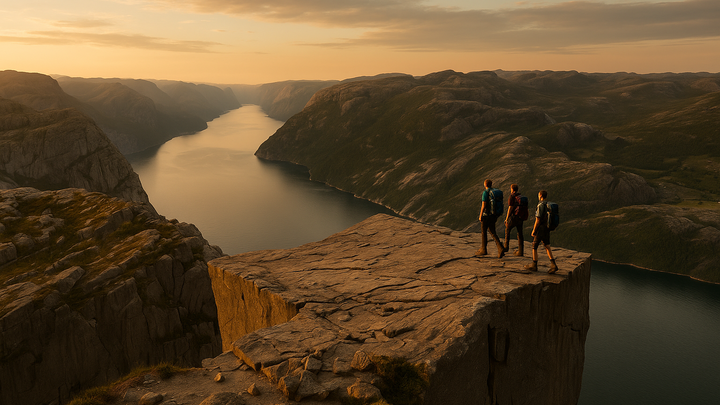
⛰️ Stavanger and Røfylke: Preikestolen after work
🏡 Is it possible to visit Preikestolen after 5 p.m., where to stay near the trail and the centre, how to combine offshore shifts and family life.
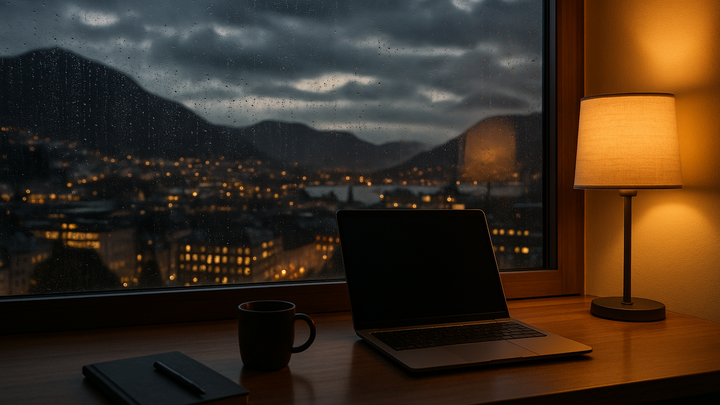
🌧️ Bergen and Hordaland: rain, mountains and stable calls
📞 Where to work in the city centre in the evenings, how to plan calls when it rains, and which short trails to take after work.
1 comment
Log in to leave a comment